
GalShelf · for Windows

Stories end,
but the meeting stays in 栞.

栞 GalShelf is a local-first visual-novel shelf for Windows: organise your works, record every session and keep each game's saves safe.
Sign in with the same account and the website can show and edit your shelf too.

Windows desktop app · local first · the website needs no install

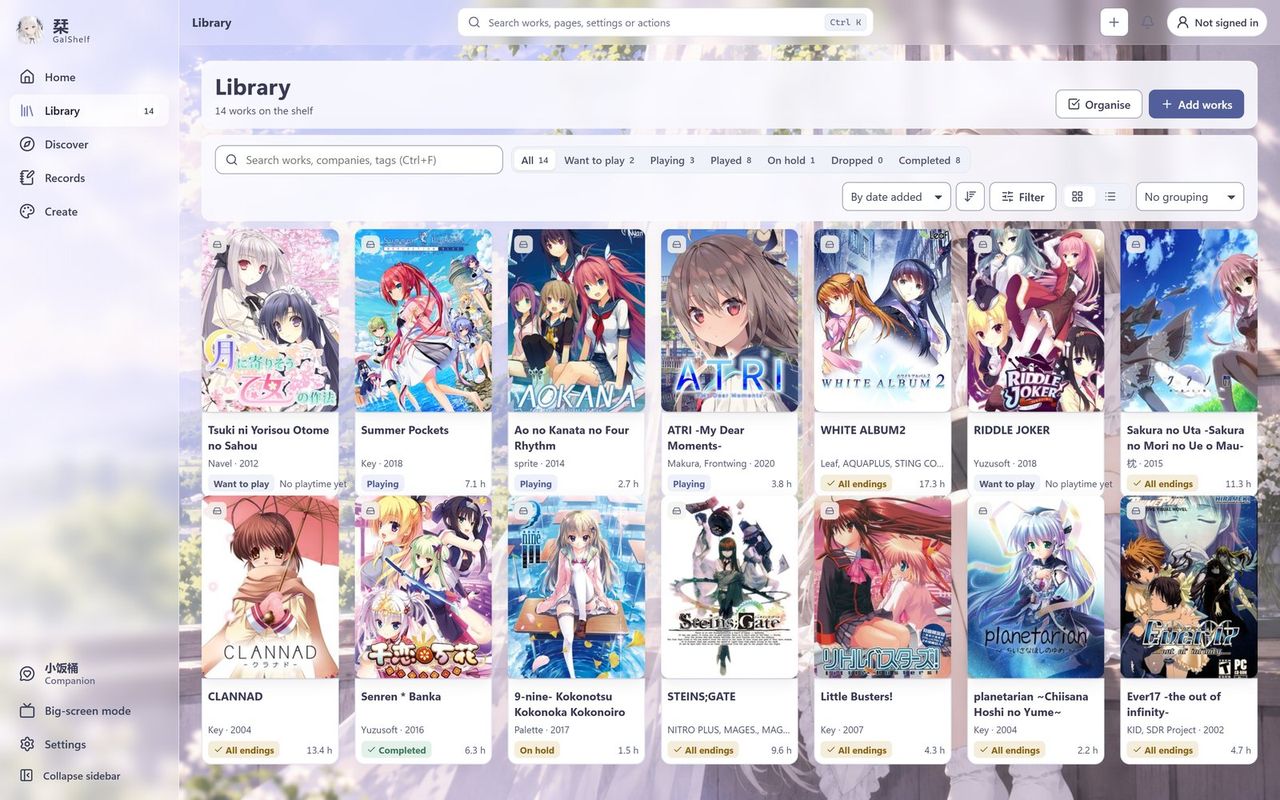
The GalShelf library: covers of works in a grid, with status filters and sorting above
Actual GalShelf 0.2.6 screenshot · demo shelf, not real user data

What it does

From a collection to your own play journal.

Everything below ships in the released version. The desktop app handles games, timing and saves on your computer; the website lets you check and organise the same account's shelf from anywhere.

Records

A ticket for every session

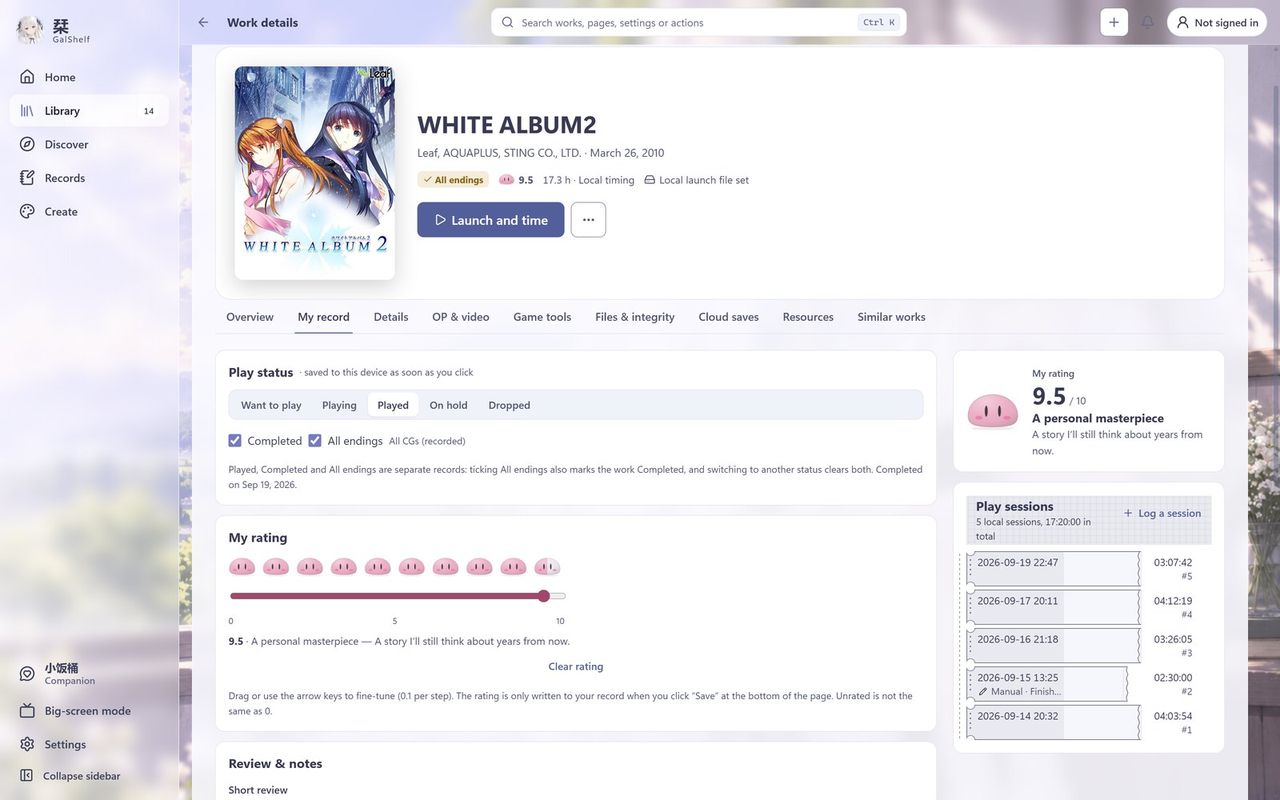
Launch a work from your shelf to start timing; each session becomes one ticket. Status, rating, short review and story progress are recorded separately, and Completed and All endings are kept apart. Steam's total playtime stays in its own field and never turns into story progress.

A work's My record tab: play status, rating and one ticket per play session
Actual GalShelf 0.2.6 screenshot · demo shelf, not real user data
Create

Share cards and screenshot editing

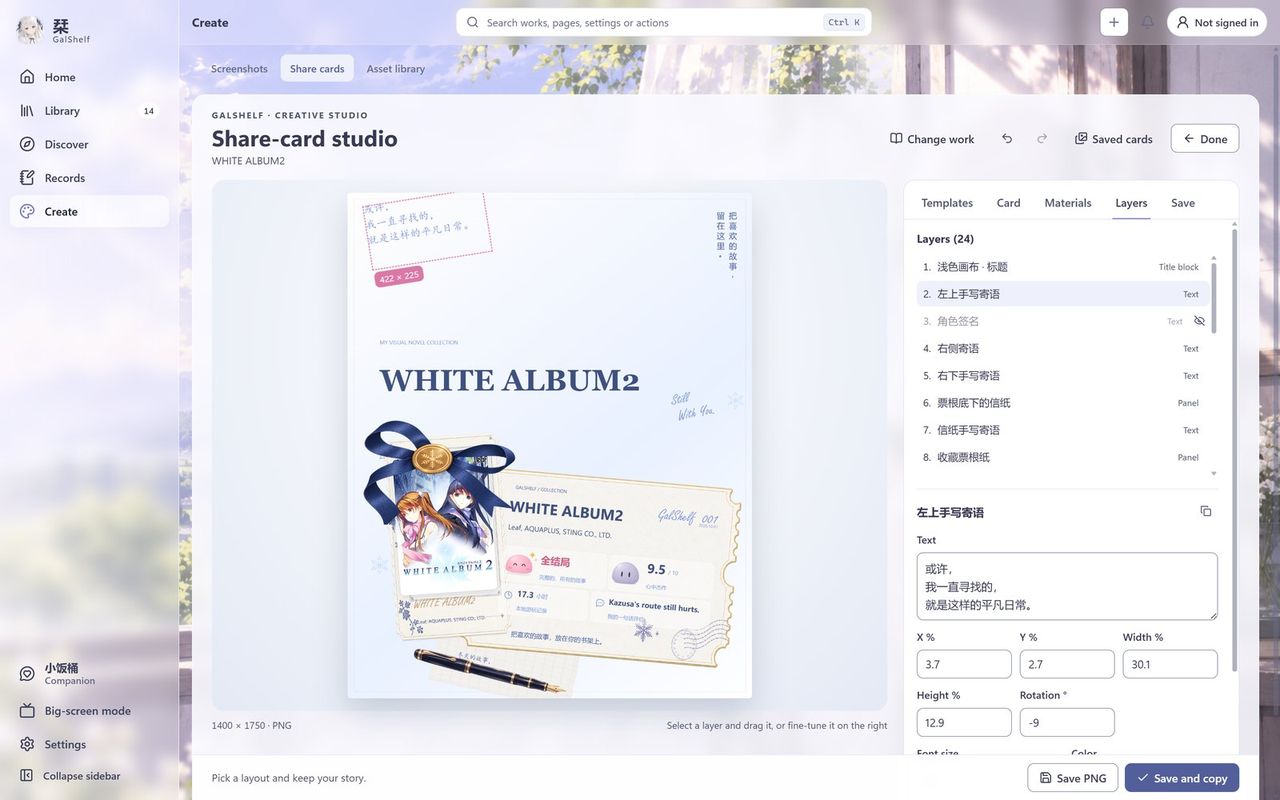
Make a share card for a work you love and adjust its template, layers and text. Screenshots and exports can be erased, selected, undone and redone; edits are saved as a new file and the original always stays.

The share-card studio: a ticket-style card in the middle, the layer list and text settings on the right
Actual GalShelf 0.2.6 screenshot · demo shelf, not real user data
Big-screen mode

Keep playing from the sofa

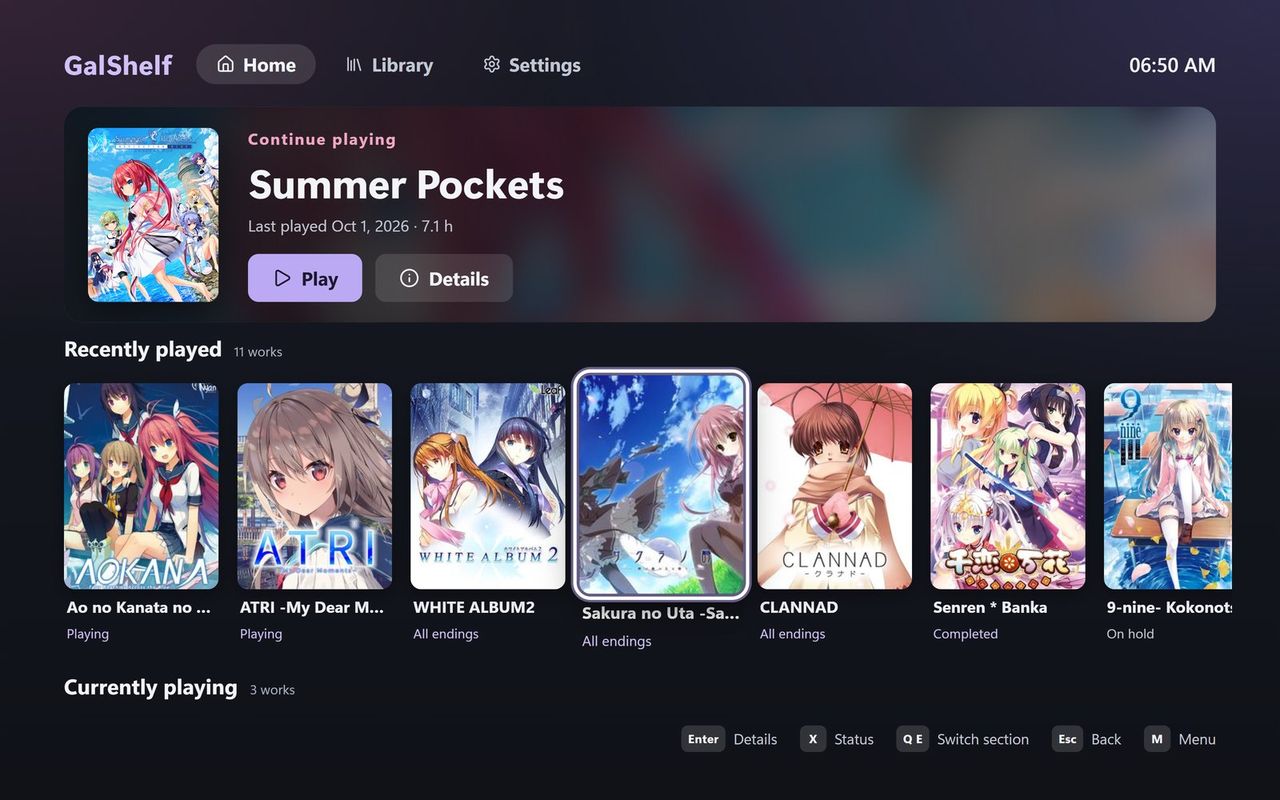
Big-screen mode is designed for TVs and controllers: the D-pad and sticks move focus by fixed rules and the focus stays visible from across the room. Recently played works are quick to continue, and status and rating change without precise clicking.

Big-screen mode home: the work to continue and a row of recently played covers, with controller hints at the bottom
Actual GalShelf 0.2.6 screenshot · demo shelf, not real user data
Organise

Put your stories back on the shelf

Import works from local folders, the Steam installations on this computer or by drag and drop; review the matches before you confirm. Sort them into Want to play, Playing, Played, On hold and Dropped, fold company groups open or closed, and find anything instantly by title, alias, company or VNDB ID.

Saves

Keep each game's saves safe

Once cloud saves are on, games linked to a VNDB work back up their saves automatically and safely, with optional end-to-end encryption; the cloud location is a sync folder you choose. Every work offers Sync now, Upload backup and Download / restore, and when two computers diverge both progress lines are kept for you to choose. The public release can't connect to Google Drive or OneDrive directly yet.

Safety

A second look before launch

When a launch file no longer matches its confirmed baseline, GalShelf keeps reminding you and records the history. The optional standalone companion Galguard (GalShelf Guard) keeps a trusted file manifest, analyses changes and offers a reversible quarantine. A changed file is not proof of infection; only a scanner verdict marks a threat.

Calendar

See what's coming out

View the release calendar for your shelf, the companies you follow or all VNDB releases. Dates registered on VNDB are kept apart from news that only comes from NextMoe, and when a source can't be reached the last good result stays, clearly labelled.

Website

Works without the desktop app

Sign in to the website with a GalShelf account, Google or NextMoe to search for and add works, change statuses and scores, check the release calendar and link Steam. The desktop app doesn't need to be running, and QQ isn't needed.

Look

Make it yours

Backgrounds can be still images, GIFs or MP4 videos with adjustable focus, opacity and blur. The interface can switch between Chinese and English, and the companion in the corner can be turned off completely.

The GalShelf family

GalShelf and its companions

GalShelf is the main app and works fully on its own. Galdrive and Galguard are companion apps released separately; the download page shows their current status.

GalShelf

Windows

Available

A local-first visual-novel shelf: organise your works, keep reading records, and manage saves and cloud saves.

Galdrive

Windows

Not available yet

A planned, separate small app for game saves only: setup, backup, restore and sync. It ships separately from GalShelf and cannot be downloaded yet; GalShelf's own cloud saves keep working without it.

Galguard

GalShelf Guard · Windows

Pre-release

GalShelf's standalone integrity, analysis and recovery companion (GalShelf Guard). It can also be downloaded, verified and installed from GalShelf's Settings › Privacy & Security.

About the companion apps:GaldriveGalguardGaldex

See all downloads and their status →

Getting started

Three steps to start

  1. Download and extract

    Get the Windows package from the download page, extract all of it and start GalShelf.exe. The first launch shows a short guided tour in Chinese or English.

  2. Add your works

    Choose a local game folder or scan the Steam installations on this computer, review the matches and confirm. Local features don't need an account.

  3. Sign in when you need to

    When you want your shelf on the website or on several computers, sign in to a GalShelf account and upload this computer's shelf to it.

Read the guide →Installation and first-run docs →

Release notes

Current version: 0.2.7

0.2.7 is the Windows version currently published. The main changes:

  • A recomposed home page and a journal-style Notes & retrospective page; a step-by-step guide on your first visit to a work page.
  • One click on the top bar opens the cloud-save panel; Sync now, Upload backup and Download / restore work as on the work page, and automatic cloud saves continue.
  • The release calendar lists only Japanese-original releases with Japanese text, labels Steam and HIKARI FIELD date sources and keeps read months on this PC.
  • Characters & birthdays no longer needs a galbd link; identification shows character art and covers together, enlargeable for comparison.
  • Collections fold into card stacks with long-press and slide multi-select; controller settings show a live diagram and can bind the in-game menu and screenshots; spoilers are no longer masked.

All versions and full release notes ↗

Earlier update: 0.2.2 (kept for the record; it doesn't describe everything the app does today)
Sign-in

GalShelf accounts and NextMoe, side by side

Sign in directly with a GalShelf account or NextMoe; you no longer need to link QQ first. QQ is only used for QQ group features.

Website

Works without the desktop app

Your web shelf lives in your account: search for and add works, change statuses and scores, check the release calendar and connect Steam, all without the desktop app.

Desktop app

Track several works at once

Time up to 4 works at once, adjust window opacity per work and capture game screenshots; plus a new monthly calendar, interface refinements and, where available, local Real-ESRGAN image upscaling.

Help

When you need help

Common questions, detailed help for every feature and troubleshooting are all here; the docs say clearly what is available and what isn't yet.

Your library, your pace

Start by keeping the stories you love close.

Local features don't need an account. Sign in, connect Steam or turn on cloud saves whenever you're ready.